Home > Store > Home & Office Computing > Entertainment/Gaming/Gadgets

Learning iPad Programming LiveLessons, Downloadable Version: A Hands-On Guide to Building iPad Apps with iOS 5

Add To My Wish List

  • Copyright 2012
  • Edition: 1st
  • Downloadable Video
  • ISBN-10: 0-321-82166-1
  • ISBN-13: 978-0-321-82166-9

Register your product to gain access to bonus material or receive a coupon.

  • Description

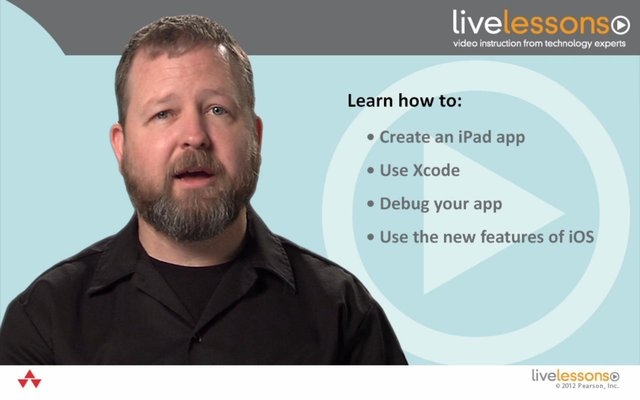
In Learning iPad Programming LiveLessons, instructor Kirby Turner walks you through the process of building PhotoWheel, a photo management and sharing app that leverages the most common aspects of iOS 5. Each video lesson focuses on the latest features in iOS 5 and Xcode, including Storyboarding, Core Data, Automatic Reference Counting (ARC), iCloud, and more. If you want to build apps for the iPad, Learning iPad Programming LiveLessons will lead you through each step with visual queues and Kirby's own tips and tricks.


Download the free version of PhotoWheel from the App Store today! Share your photos with friends and upload to iCloud, all while learning how to build the app.

DRM-Free Video Downloads. Purchase and immediately download individual lessons from this video. Make your lesson selections below and click on the Buy button.

Videos can be viewed on: Windows 8, Windows XP, Vista, 7, and all versions of Macintosh OS X including the iPad, and other platforms that support the industry standard h.264 video codec.

Lesson 1

Lesson 1: Introduction to Learning iPad Programming LiveLessons, Downloadable Version

This lesson introduces you to the fundamentals of iPad programming. From installing Xcode to provisioning your iPad, this lesson shows you how to use the developer tools needed to build your first iPad app.

Duration: 01:29:49  File Size: 221MB

View exampleView example
$14.99

Lesson 2

Lesson 2: Storyboard and View Controllers, Downloadable Version

This lesson introduces storyboard and view controllers. You see how to design a UI, transition between scenes using segues, and take advantage of view controllers and containment.

Duration: 01:08:54  File Size: 248MB

View exampleView example
$14.99

Lesson 3

Lesson 3: Views and Gestures, Downloadable Version

This lesson shows you how to use touch gestures and write custom gestures to make a spinning wheel view. You also learn how to use table views and build custom grid views.

Duration: 01:41:28  File Size: 237MB

View exampleView example
$14.99

Lesson 4

Lesson 4: Data Persistence and Working with Photos, Downloadable Version

This lesson introduces core data. You learn about designing a data model, generating subclasses, adding a model object, fetching results, and using the image picker controller. Finally, you learn about editing and deleting a model object.

Duration: 01:40:07  File Size: 229MB

View exampleView example
$9.99

Lesson 5

Lesson 5: Rotation, Downloadable Version

This lesson describes adding device rotation support, performing a custom rotation animation, and setting the launch image. You also see how to create a custom segue and a custom navigation controller pop animation.

Duration: 00:38:27  File Size: 116MB

View exampleView example
$9.99

Lesson 6

Lesson 6: Scroll Views, Downloadable Version

This lesson introduces scroll views. You see how to build a full screen photo browser and use pinch and zoom.

Duration: 00:37:33  File Size: 87MB

View exampleView example
$9.99

Lesson 7

Lesson 7: Cloud Services, Downloadable Version

This lesson shows how to make use of web services in an iPad app, using the Flickr API as an example, and how to enable iCloud synching for sharing data between devices.

Duration: 01:16:39  File Size: 198MB

View exampleView example
$9.99

Actual product comes full screen and in high resolution.

Actual product comes full screen and in high resolution.

Actual product comes full screen and in high resolution.

Actual product comes full screen and in high resolution.

Actual product comes full screen and in high resolution.

Actual product comes full screen and in high resolution.

Actual product comes full screen and in high resolution.

 
Buy

Downloadable Video  $149.99  $119.99

About this video

Accessible from your Account page after purchase. Requires the free QuickTime Player software.

Videos can be viewed on: Windows 8, Windows XP, Vista, 7, and all versions of Macintosh OS X including the iPad, and other platforms that support the industry standard h.264 video codec.

Purchase Reward: One Month Free Subscription
By completing any purchase on InformIT, you become eligible for an unlimited access one-month subscription to Safari Books Online.

Get access to thousands of books and training videos about technology, professional development and digital media from more than 40 leading publishers, including Addison-Wesley, Prentice Hall, Cisco Press, IBM Press, O'Reilly Media, Wrox, Apress, and many more. If you continue your subscription after your 30-day trial, you can receive 30% off a monthly subscription to the Safari Library for up to 12 months. That's a total savings of $199.

Save 35% on Video LiveLessons with coupon VIDEO35