Fundamentals of the Managed Extensibility Framework (MEF): Extensible Applications in .NET (Video Training), (Downloadable Video)
- By Jeremy Likness
- Published Sep 2, 2011 by Addison-Wesley Professional. Part of the LiveLessons series.
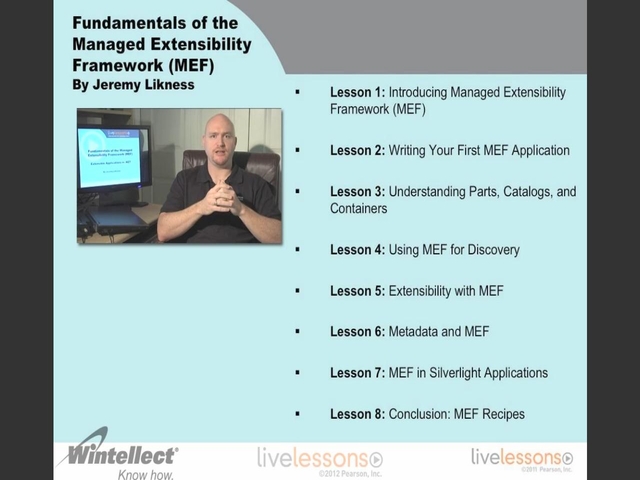
Downloadable Video
- Sorry, this book is no longer in print.
- About this video
Accessible from your Account page after purchase. Requires the free QuickTime Player software.
Videos can be viewed on: Windows 8, Windows XP, Vista, 7, and all versions of Macintosh OS X including the iPad, and other platforms that support the industry standard h.264 video codec.
Register your product to gain access to bonus material or receive a coupon.
Description
- Copyright 2012
- Edition: 1st
- Downloadable Video
- ISBN-10: 0-321-78702-1
- ISBN-13: 978-0-321-78702-6
4+ Hours of Video Instruction
Overview
Fundamentals of the Managed Extensibility Framework LiveLessons will teach you how to leverage the Managed Extensibility Framework part of the .NET 4.0 Framework to solve common problems encountered when developing enterprise applications.
Description
Managed Extensibility Framework (MEF) is a component of .NET Framework 4.0 for creating lightweight, extensible applications. It allows application developers to discover and use extensions with no configuration required. It also lets extension developers easily encapsulate code and avoid fragile hard dependencies. MEF not only allows extensions to be reused within applications, but across applications as well. MEF was introduced as a part of .NET 4.0 and Silverlight 4.0 and 5.0. It is available on CodePlex along with source and as a result can be used, albeit unsupported and with limitations, on version 3.5 of the framework.
MEF is used by Visual Studio 2010 for add-ons and is quickly gaining momentum. It is important for developers of modular and extensible applications to learn to master this core .NET technology. This video will provide fundamentals for using the Managed Extensibility Framework (MEF) and explain when and why to use it, as well as how to use it most effectively. Topics from basic MEF composition to advanced metadata filtering are covered.
About the Instructor
Jeremy Likness is a Senior Consultant and Project Manager for Wintellect. With more than 15 years experience developing enterprise applications, he has worked in multiple vertical business environments, including insurance, health and wellness, supply chain management, and mobility. His primary focus for the past decade has been building highly scalable web-based solutions using Microsoft technology.
Prior to Wintellect, Jeremy was Director of Information Technology and served as development manager and architect for AirWatch, LLC. There, he helped the company grow and solidify its position as one of the leading wireless technology solution providers in the United States. He cultivated and managed the development of their product portfolio that included public HotSpot solutions, a management console for enterprise grade wireless networks and mobile devices. A fluent Spanish speaker, Jeremy served as Director of Information Technology for Hispanicare, where he architected a multi-lingual content management system for the company's Hispanic-focused online diet program. Jeremy accepted his role there after serving as Development Manager for Manhattan Associates, a software company that provides supply chain management solutions.
Jeremy is a Microsoft Silverlight MVP and author. He is a regular speaker at users groups and national events including CodeStock and DevLink. Jeremy taught on MEF at Wintellects' Devscovery conference.
Skill Level
This topic should be of interest to anyone developing working with the .NET framework. This includes all developers at the following skill level: Intermediate
What You Will Learn
- When and why to use MEF. Microsoft built MEF specifically to address discovery, extensibility, and metadata concerns for Visual Studio 2010.
- How to easily create extensible applications and plug-ins
- How to effectively modularize applications
- How to solve common programming problems such as dependency injection and inversion of control
- How to expand your knowledge of the core .NET Framework technology set
Who Should Take This Course
Application developers, extension developers, IT pros developing on the .NET framework or working with Visual Studio.
Course Requirements
Some .NET programming
Table of Contents
Lesson 1: Introducing Managed Extensibility Framework (MEF)1.1 History of MEF (Visual Studio 2010)
1.2 Areas that MEF Addresses
1.3 Availability of MEF — framework
Lesson 2: Writing Your First MEF Application
2.1 Adding the MEF references
2.2 Introducing the Import tag
2.3 Multiple imports with ImportMany
2.4 Introducing the Export tag
2.5 Your first catalog
2.6 Putting it all together: the container
2.7 Add a plugin
Lesson 3. Understanding Parts, Catalogs, and Containers
3.1 Parts are the key to understand MEF
3.2 Catalogs help MEF discover parts
3.3 The container gathers catalogs and parts and then glues it all together
Lesson 4. Using MEF for Discovery
4.1 Background concepts
4.2 Contracts for separation
4.3 Defining the contract
4.4 Defining the implementation with Export
4.5 Non-attributed exports: ComposeExportedValue
4.6 Lifetime management
Lesson 5. Extensibility with MEF
5.1 The concept of a plug-in
5.2 Advanced imports
5.3 Discovering extensions
5.4 Handling recomposition
5.5 How collections are recomposed
5.6 CompositionBatch
Lesson 6. Metadata and MEF
6.1 Discovery without metadata
6.2 Extensions without metadata
6.3 Defining metadata
6.4 Filtering metadata
6.5 Common uses for metadata
Lesson 7. MEF in Silverlight Applications
7.1 A traditional MEF scenario
7.2 The first complication: XAML
7.3 The solution: CompositionInitializer
7.4 Controlling the container
7.5 The DeploymentCatalog
7.6 Responding to dynamic XAP loads
Lesson 8. Conclusion: MEF Recipes
8.1 The three problems MEF solves
8.2 Inversion of Control
8.3 Lifetime management
8.4 Configuration
8.5 Factories
8.6 Pipelines
8.7 Plugins
8.8 Capability-based imports
8.9 Modular applications
About LiveLessons Video Training
LiveLessons Video Training series publishes hundreds of hands-on, expert-led video tutorials covering a wide selection of technology topics designed to teach you the skills you need to succeed. This professional and personal technology video series features world-leading author instructors published by your trusted technology brands: Addison-Wesley, Cisco Press, IBM Press, Pearson IT Certification, Prentice Hall, Sams, and Que. Topics include: IT Certification, Programming, Web Development, Mobile Development, Home and Office Technologies, Business and Management, and more. View all LiveLessons on InformIT at: http://www.informit.com/livelessons
Downloads
Downloads
Download the code samples for all the projects
Download LifeManagementSilverlightSln.zip
Download LifetimeManagementSln.zip
Download LoggerImplementationSln.zip
Download MyFirstMEFSln-Discovery.zip
Download PluginMetadataSln.zip
Download SilverlightMEFSln.zip
Download UnderstandingPartsSln-Part2.zip
Download UnderstandingPartsSln.zip
Sample Content
Table of Contents
Lesson 1: Introducing Managed Extensibility Framework (MEF)
1.1 History of MEF (Visual Studio 2010)
1.2 Areas that MEF Addresses
1.3 Availability of MEF — framework
Lesson 2: Writing Your First MEF Application
2.1 Adding the MEF references
2.2 Introducing the Import tag
2.3 Multiple imports with ImportMany
2.4 Introducing the Export tag
2.5 Your first catalog
2.6 Putting it all together: the container
2.7 Add a plugin
Lesson 3. Understanding Parts, Catalogs, and Containers
3.1 Parts are the key to understand MEF
3.2 Catalogs help MEF discover parts
3.3 The container gathers catalogs and parts and then glues it all together
Lesson 4. Using MEF for Discovery
4.1 Background concepts
4.2 Contracts for separation
4.3 Defining the contract
4.4 Defining the implementation with Export
4.5 Non-attributed exports: ComposeExportedValue
4.6 Lifetime management
Lesson 5. Extensibility with MEF
5.1 The concept of a plug-in
5.2 Advanced imports
5.3 Discovering extensions
5.4 Handling recomposition
5.5 How collections are recomposed
5.6 CompositionBatch
Lesson 6. Metadata and MEF
6.1 Discovery without metadata
6.2 Extensions without metadata
6.3 Defining metadata
6.4 Filtering metadata
6.5 Common uses for metadata
Lesson 7. MEF in Silverlight Applications
7.1 A traditional MEF scenario
7.2 The first complication: XAML
7.3 The solution: CompositionInitializer
7.4 Controlling the container
7.5 The DeploymentCatalog
7.6 Responding to dynamic XAP loads
Lesson 8. Conclusion: MEF Recipes
8.1 The three problems MEF solves
8.2 Inversion of Control
8.3 Lifetime management
8.4 Configuration
8.5 Factories
8.6 Pipelines
8.7 Plugins
8.8 Capability-based imports
8.9 Modular applications
More Information
Other Things You Might Like
