Home > Store > Web Development > Microsoft Expression Studio

Fundamentals of Joomla! LiveLessons (Video Training)

Add To My Wish List

  • Copyright 2009
  • Edition: 1st
  • DVD
  • ISBN-10: 0-13-701781-2
  • ISBN-13: 978-0-13-701781-2

Register your product to gain access to bonus material or receive a coupon.

  • Description
  • Extras
  • Reviews
  • Sample Content
  • Updates

Product Author Bios

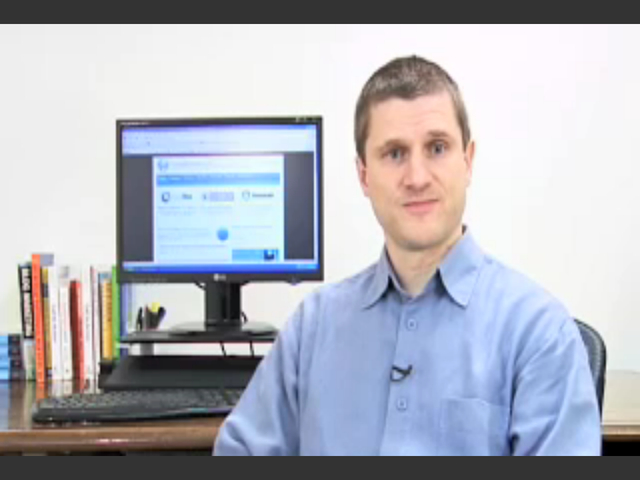
Barrie North has more than 15 years of experience with the Internet, as a user, designer, and teacher. A certified teacher, he has spent more than eight years in the education field, becoming steadily more involved in web technology and teaching technology integration to teachers. Most recently he worked as an IT consultant for two new schools pioneering in the use of technology. As well as web design, he has provided web marketing/SEO and usability and runs training classesfor Joomla! across the United States.


He is currently a partner of Joomlashack.com, providing templates and custom services. He also maintains a blog about all things Joomla! at compassdesigns.net.


In 2008 he launched a new company, Simplweb, which provides turnkey Joomla! websites for small businesses, schools, and other industries.


He has written many free tutorials for using Joomla! and is a frequent speaker at Joomla! events. His combination of Joomla! expertise, educational skills, and engaging writing produces books accessible to everyone. He is also the author of the best-selling book on Joomla!, Joomla! A User’s Guide.

Having trouble with Lesson Six: Extending Joomla? Or want a sneak peek? The complete lesson is available for free download at: informit.com/title/9780137017812


9+ Hours of Video Instruction


Joomla! is a powerful solution for webmasters and developers working with all types of sites. In this one-of-a-kind video package, top Joomla consultant and Prentice Hall author Barrie M. North shows you exactly how to use Joomla! to build sophisticated websites that are incredibly easy to edit and update. You’ll master Joomla! through 13 comprehensive video lessons, and you’ll have your first Joomla! site running faster than you ever expected!


North walks you through every essential skill you’ll need, including installation, administration, site and content organization, template development, content updates, and much more. Just click, watch, and learn the most efficient ways to build dynamic pages, provide intuitive navigation, work with modules and components, and even optimize Joomla! sites for search engines.


You’ll then be able to watch as North builds four complete sites with Joomla!--a school site, a blog, a small business site, and a membership site--with every stage captured on video. You’ll master Joomla! best practices at your own pace, as you learn how to deliver production-quality solutions quickly and efficiently!


Looking for a better way to master today’s rapidly changing technologies? Want expert help, but don’t have the time or energy to read a book? Can’t find classroom training worth the money? Discover LiveLessons: self-paced, personal video instruction from the world’s leading experts.

  • LiveLessons are DVD video courses organized into bite-sized, self-contained sessions--you’ll learn key skills in as little as 15 minutes!
  • Each session begins with well-defined learning objectives and ends with comprehensive summaries, which help you track your progress.
  • Follow along as your instructor shows exactly how to get great results in your real-world environment.

System Requirements

  • Operating System: Windows 98, 2000, XP, or Vista; Mac OS X
  • Multimedia: DVD drive, 1280 x 960 or higher display, and sound card with speakers
  • Computer: 500MHz or higher, 128MB RAM or more

Lesson 1         Content Management Systems and an Introduction to Joomla!     [00:16:11]

Lesson 2         Downloading and Installing Joomla!     [00:26:03]

Lesson 3         Joomla! Administration Basics     [00:29:58]

Lesson 4         Organizing Your Content    [00:37:28]

Lesson 5         Menus and Navigation     [00:30:12]

Lesson 6         Extending Joomla!     [00:41:32]

Lesson 7         Expanding Your Content: Articles and Editors     [00:50:54]

Lesson 8         Getting Traffic to Your Site     [00:29:17]

Lesson 9         Creating a Pure CSS Template     [01:11:59]

Lesson 10       Creating a School Website     [01:34:22]

Lesson 11       Creating a Restaurant Website     [00:39:09]

Lesson 12       Creating a Blog Website     [00:37:50]

Bonus Lesson 13     Creating a Membership Website     [00:51:03]

Related Article

Barrie North on Books, Videos, and Joomla!

Search Term

joomla

Customer Reviews

7 of 7 people found the following review helpful
5.0 out of 5 stars Fundamental of Joomla - Video Tutorial, September 2, 2009
This review is from: Fundamentals of Joomla! LiveLessons (Video Training) (Paperback)
I bought the Barrie North's Book, Joomla 1.5 - A User Guide in combination with the
Fundamental of Joomla Video Tutorial and after trying most of the video tutorials and books available,I have found this a tremendous resource for learning Joomla.

Particularly, I have found the videos so far incredibly articulate and very helpful.
I do use books, but this is much better.

Besides the excellent instruction on features and techniques, I'm learning much more by seeing how Barrie solves the problems and instead of just learning about the program, I'm gaining valuable insight into how other people work and think.

I feel empowered and excited about what I get from this excellent tutorials and hope there will be some advance courses in the near future.

Thank you.

Augusto
Help other customers find the most helpful reviews 
Was this review helpful to you? Yes No


6 of 6 people found the following review helpful
4.0 out of 5 stars High Learning Value But Disappointing Production Values, October 29, 2009
This review is from: Fundamentals of Joomla! LiveLessons (Video Training) (Paperback)
I have to ask whether LiveLesson products goes through an editorial and quality assurance process before a product is shipped off for manufacturing. For $70 one expects a bit more than wham-bam-thank-you-mam production values. Lesson 1 starts out strong and gives you a lot of confidence in what the product is going to teach. I was very excited. Once I got into lesson 2 I was increasingly distracted and my confidence shaken by what amounts to many (MANY) "we'll fix it in edit" gaffs that were never fixed in edit (frequent utterances of "blah blah blah..." indicating "insert useful content here at some point," exasperated raspberries, phrases repeated several times until the presenter is satisfied, etc.). Distracting. At points I wondered if I had selected the "bloopers and outtakes" section of the DVD by accident. Don't get me wrong, the raw learning available through this program is very high, but as I paid full price for this, I feel a bit ripped off. $70 is what you pay for a highly... Read more
Help other customers find the most helpful reviews 
Was this review helpful to you? Yes No


10 of 12 people found the following review helpful
3.0 out of 5 stars Great presenter - many technical problems with video, June 29, 2009
This review is from: Fundamentals of Joomla! LiveLessons (Video Training) (Paperback)
As a new Joomla user I expected to get a highly polished video introduction to this highly rated CMS system. What I got reached about 70% of my expectations. The problem is in the editing of the DVD. The video and audio were about 30 seconds out of synch in a critical chapter (chap. 6) making the instructions impossible to follow. In other chapters some outakes were left in when the instructor made verbal mistakes. I was doubly disappointed about this because the author/presenter is one of the leading authorities on Joomla training, making it a major reason for me to buy this DVD. There is valuable instruction in this DVD and it would be well worth the $44+ if the errors were corrected.
Help other customers find the most helpful reviews 
Was this review helpful to you? Yes No


Share your thoughts with other customers:
 See all 5 customer reviews...

Excerpts

Fundamentals of Joomla! (Video Training): Getting Traffic to Your Site

Fundamentals of Joomla! (Video Training): How Do I Install Joomla?

Table of Contents

Lesson 1         Content Management Systems and an Introduction to Joomla!     [00:16:11]

Lesson 2         Downloading and Installing Joomla!     [00:26:03]

Lesson 3         Joomla! Administration Basics     [00:29:58]

Lesson 4         Organizing Your Content    [00:37:28]

Lesson 5         Menus and Navigation     [00:30:12]

Lesson 6         Extending Joomla!     [00:41:32]

Lesson 7         Expanding Your Content: Articles and Editors     [00:50:54]

Lesson 8         Getting Traffic to Your Site     [00:29:17]

Lesson 9         Creating a Pure CSS Template     [01:11:59]

Lesson 10       Creating a School Website     [01:34:22]

Lesson 11       Creating a Restaurant Website     [00:39:09]

Lesson 12       Creating a Blog Website     [00:37:50]

Bonus Lesson 13     Creating a Membership Website     [00:51:03]

DRM-Free Video Downloads. Purchase and immediately download individual lessons from this video. Make your lesson selections below and click on the Buy button.

Videos can be viewed on: Windows 8, Windows XP, Vista, 7, and all versions of Macintosh OS X including the iPad, and other platforms that support the industry standard h.264 video codec.

Lesson 1

Lesson 1: An Introduction to Joomla!, Downloadable Version

This lesson introduces Joomla! and the concept of content management systems. It explains the difference between conventional web sites and those that use CMS; explains what Joomla! is and what it can do; and presents the basic elements of a Joomla! page.

Duration: 00:22:18  File Size: 39MB

View exampleView example
$2.99

Lesson 2

Lesson 2: Downloading and Installing Joomla!, Downloadable Version

This lesson walks through downloading and installing the latest version of Joomla! on a web server — either your own local computer, or a remote, hosted web server.

Duration: 00:26:50  File Size: 39MB

View exampleView example
$4.99

Lesson 3

Lesson 3: Joomla! Administration Basics, Downloadable Version

This lesson introduces basic Joomla! administration: its key functions, plus tips and tricks for keeping sites running well. You’ll review the differences between the front-end and back-end of a Joomla! site; navigate Joomla’s main administrator menu; and learn about user roles and access control.

Duration: 00:31:54  File Size: 42MB

View exampleView example
$4.99

Lesson 4

Lesson 4: Organizing Your Content, Downloadable Version

This lesson covers planning and organizing content on a Joomla! site. You’ll learn how Joomla! generates web pages; the best ways to structure content; options for presenting content; and how components and modules display content.

Duration: 00:39:21  File Size: 48MB

View exampleView example
$4.99

Lesson 5

Lesson 5: Menus and Navigation, Downloadable Version

This lesson explains the relationships among menus, menu items, pages, modules, and layouts, helping you create the best possible navigation schemes for your sites.

Duration: 00:32:16  File Size: 43MB

View exampleView example
$4.99

Lesson 6

Lesson 6: Extending Joomla!, Downloadable Version

This lesson shows how to extend Joomla! using components, modules, plugins, and languages. It introduces some of today’s best Joomla! extensions, shows how to install them, and helps you find the right free or commercial third-party extensions for your needs.

Duration: 00:43:33  File Size: 70MB

View exampleView example
$9.99

Lesson 7

Lesson 7: Expanding Your Content: Articles and Editors, Downloadable Version

This lesson shows how to add and manage content on a Joomla! site. You’ll manage content via Joomla’s “What You See Is What You Get” (WYSIWYG) back-end editor; manage content from the “front end” and allow contributors to do so; understand the roles of authors, editors, and publishers; and utilize “article check-in.”

Duration: 00:53:07  File Size: 77MB

View exampleView example
$9.99

Lesson 8

Lesson 8: Getting Traffic to Your Site, Downloadable Version

This lesson covers attracting traffic to your site. It presents tips for Search Engine Optimization (SEO), and then introduces a more holistic approach that includes pay-per-click, blogging, email marketing, and the use of Joomla! “Search Engine Friendly” URLs.

Duration: 00:31:40  File Size: 43MB

View exampleView example
$4.99

Lesson 9

Lesson 9: Creating a Pure CSS Template, Downloadable Version

In this lesson, you’ll learn how to build “Pure CSS” templates that create faster, easier-to-maintain, more search-friendly sites. You’ll learn what Joomla! templates are and how they work; understand the implications of tableless design and the role of W3C standards; and master the CSS styles Joomla! is designed to use.

Duration: 01:14:05  File Size: 124MB

View exampleView example
$9.99

Lesson 10

Lesson 10: Creating a School Website, Downloadable Version

This lesson walks through the entire process of creating and setting up a school web site with Joomla! It covers site features, organization, the Front Page component, and easy ways to add more functionality.

Duration: 01:36:10  File Size: 65MB

View exampleView example
$9.99

Lesson 11

Lesson 11: Creating a Restaurant Website, Downloadable Version

This lesson walks through the entire process of creating and setting up a restaurant web site with Joomla! You’ll learn how to analyze needs, choose features, define site organization and navigation; create an effective home page; add photos; and extend site functionality with extensions.

Duration: 00:41:19  File Size: 60MB

View exampleView example
$9.99

Lesson 12

Lesson 12: Creating a Blog Website, Downloadable Version

This lesson walks through the entire process of creating and setting up a blog web site with Joomla! You’ll learn why and how to create a blog; which features are needed; how to organize content for a standalone blog or one that is part of a larger site; and how to extend your blog’s functionality.

Duration: 00:40:03  File Size: 62MB


$4.99

Lesson 13

Lesson 13: Creating a Membership Website, Downloadable Version

This bonus lesson walks through the entire process of creating and setting up a subscription-based membership web site with Joomla! and its Community Builder plug-in. You’ll learn how and why to create a membership site; which features you’ll need; how to organize site content; and how to extend your site’s functionality.

Duration: 00:53:10  File Size: 87MB

View exampleView example
$9.99

Actual product comes full screen and in high resolution.

Actual product comes full screen and in high resolution.

Actual product comes full screen and in high resolution.

Actual product comes full screen and in high resolution.

Actual product comes full screen and in high resolution.

Actual product comes full screen and in high resolution.

Actual product comes full screen and in high resolution.

Actual product comes full screen and in high resolution.

Actual product comes full screen and in high resolution.

Actual product comes full screen and in high resolution.

Actual product comes full screen and in high resolution.

Actual product comes full screen and in high resolution.

Actual product comes full screen and in high resolution.

 
Buy

DVD  $99.99  $79.99

Usually ships in 24 hours.

This DVD includes free shipping!

Buy

Downloadable Lessons   $69.99  $55.99

About this video

Accessible from your Account page after purchase. Requires the free QuickTime Player software.

Videos can be viewed on: Windows 8, Windows XP, Vista, 7, and all versions of Macintosh OS X including the iPad, and other platforms that support the industry standard h.264 video codec.

Purchase Reward: One Month Free Subscription
By completing any purchase on InformIT, you become eligible for an unlimited access one-month subscription to Safari Books Online.

Get access to thousands of books and training videos about technology, professional development and digital media from more than 40 leading publishers, including Addison-Wesley, Prentice Hall, Cisco Press, IBM Press, O'Reilly Media, Wrox, Apress, and many more. If you continue your subscription after your 30-day trial, you can receive 30% off a monthly subscription to the Safari Library for up to 12 months. That's a total savings of $199.

Save 35% on Video LiveLessons with coupon VIDEO35