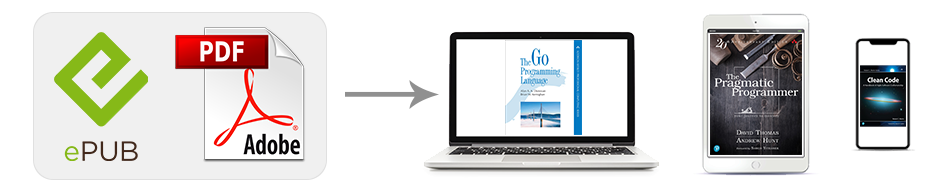
We offer many of our books in EPUB and PDF formats. EPUB is a format compatible with many smartphones and eReader devices, including Amazon Kindle. PDFs can be opened on any Mac or PC with the free Adobe Reader software, as well as on many smartphones. Most of the eBooks we offer can be viewed on more than one device. If you download the eBook file to your computer, you can then copy it to a portable eReader, Kindle, Nook, Android phone or tablet, iPhone or iPad, or another smartphone.
Choosing the Right File Format
We offer our eBooks in formats that work on most devices. Find your device and recommended eBook file format below.
- Android devices — EPUB
- Apple devices — EPUB or PDF
- PCs — EPUB or PDF
- Amazon Kindle devices and apps — EPUB or PDF
- NOOK & other readers — EPUB
- Sony Reader and Other eReaders — EPUB
Macs and PCs can read files in both EPUB and PDF formats. For more information on purchasing, downloading and reading eBooks from our store on your Mac or PC, see the Apple devices and PCs sections of this guide.
Most tablets and eReaders (including the iPad, Kindle, and Nook) and smartphones (including the iPhone and Android) can read eBook files in the popular EPUB format. Most can also read eBooks in PDF, although PDF eBooks don't always display well on smaller screens. To the right you'll see links to specific instructions for using our eBooks on the most popular eReaders and smartphones.
If versatility is important to you, choose the EPUB version of a book when available; it's compatible with almost all devices and will look best on the screen of your specific device.
If page fidelity is important to you, choose the PDF version of a book; it exactly reproduces the original printed page and can be viewed with the popular Adobe Reader software on many devices.
Purchasing and Downloading eBooks
You can purchase the eBook alone or together with the print edition in a value-priced bundle.
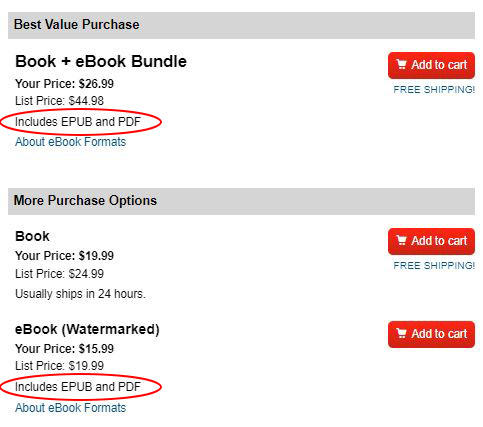
eBook purchase options in our Store.
After completing the purchase process, the file is available on your Account page for downloading.
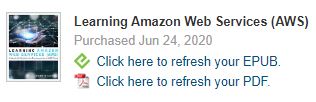
Click the EPUB or PDF link to download your eBook after purchase.
Can I Share My eBook Files?
When you purchase an eBook, that copy is designed for your own personal use. While you can copy an eBook file for use on another device you own, such as a portable eReader or smartphone, you cannot share copies with other people. You also cannot sell used eBooks; ownership is yours only and cannot be transferred.
Our eBooks are embedded with personalized watermarks that help us identify any unauthorized copies found online. For more information on watermarking, see our Watermarked eBook FAQ.
