Home > Store > Certification > CompTIA > A+

CompTIA A+ 220-701 and 220-702 Video Mentor, Downloadable Version, 2nd Edition

Add To My Wish List

  • Copyright 2011
  • Edition: 2nd
  • Downloadable Video
  • ISBN-10: 0-13-284155-X
  • ISBN-13: 978-0-13-284155-9

Register your product to gain access to bonus material or receive a coupon.

  • Description

The powerful, easy way to prepare for the new CompTIA A+ Exams!


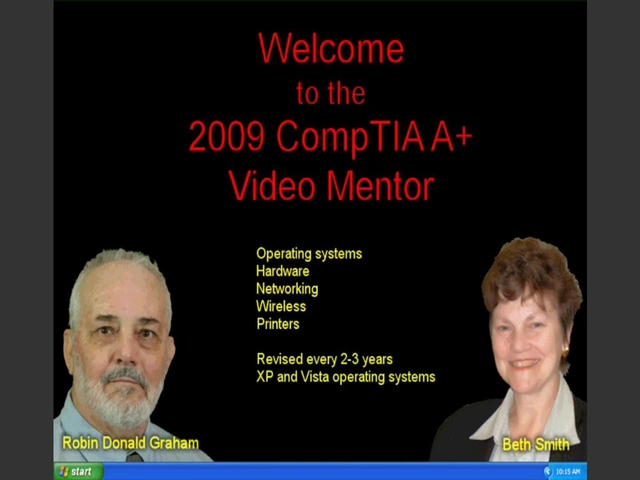
The brand-new CompTIA A+ Video Mentor is the ultimate electronic study package for today’s A+ candidate! CompTIA A+ Video Mentor offers more than 11 hours of expert, step-by-step video walkthroughs covering exam objectives for both A+ exams. Just watch, master, and review the new A+ objectives.


This product provides comprehensive preparation for both new CompTIA A+ exams:

·         A+ 220-701 (Essentials)

·         A+ 220-702 (Practical Application)


Limited Time Offer: Buy CompTIA A+ 220-701 and 220-702 Vidoe Mentor and receive a 10% off discount code for the CompTIA A+ 220-701 and 220-702 exams.  To receive your 10% off discount code visit your pearsonITcertification.com Account page, locate the product and click on “Access Bonus Content”.


DRM-Free Video Downloads. Purchase and immediately download individual lessons from this video. Make your lesson selections below and click on the Buy button.

Videos can be viewed on: Windows 8, Windows XP, Vista, 7, and all versions of Macintosh OS X including the iPad, and other platforms that support the industry standard h.264 video codec.

Lesson 1

Part 1: Hardware, Downloadable Version

Part one includes complete coverage of A+ hardware topics including: BIOS, power supplies, mother boards, CPU's storage devices, ports and connectors, memory, video and RAID.

Duration: 01:41:06  File Size: 159MB

View exampleView example
$9.99

Lesson 2

Part 2: Section 1: Preventative Maintenance, Downloadable Version

Part Two Section One discusses computer preventative maintenance procedures and protocols.

Duration: 00:33:27  File Size: 56MB

View exampleView example
$4.99

Lesson 3

Part 2: Section 2: Troubleshooting Programs and Applications , Downloadable Version

Part Two Section Two discusses how to troubleshoot common computer programs and applications.

Duration: 00:12:15  File Size: 28MB

View exampleView example
$2.99

Lesson 4

Part 2: Section 3: Troubleshooting the System, Downloadable Version

Part Two Section Three explains how to troubleshoot the entire PC system.

Duration: 01:21:43  File Size: 157MB

View exampleView example
$9.99

Lesson 5

Part 3: Section 1: Before You Install the OS, Downloadable Version

This section discusses how to prepare the PC to accept the Operating System

Duration: 00:19:01  File Size: 32MB

View exampleView example
$2.99

Lesson 6

Part 3: Section 2: The Installation, Downloadable Version

Section 2 of Part 3 discusses in detail how to install an operating system.

Duration: 00:25:33  File Size: 39MB

View exampleView example
$4.99

Lesson 7

Part 3: Section 3: The User Interface, Downloadable Version

This section explains the user interaction with the Operating System using the Start menu and Control Panel

Duration: 00:19:41  File Size: 46MB

View exampleView example
$2.99

Lesson 8

Part 3: Section 4: Hardware Configurations, Downloadable Version

This section covers hardware components related to the Operating System. Drivers, the Control Panel, and device management are discussed.

Duration: 00:25:08  File Size: 48MB

View exampleView example
$4.99

Lesson 9

Part 3: Section 5: Folders and Files, Downloadable Version

This section deals with folder and file management

Duration: 00:20:57  File Size: 39MB

View exampleView example
$4.99

Lesson 10

Part 3: Section 6: User Configuration, Downloadable Version

This video covers things like desktop images and user accounts.

Duration: 00:31:26  File Size: 58MB

View exampleView example
$4.99

Lesson 11

Part 3: Section 7: Miscellaneous Configurations, Downloadable Version

This product covers a wide array of additional configuration including system tools and virtual memory.

Duration: 00:32:32  File Size: 68MB

View exampleView example
$4.99

Lesson 12

Part 4: Networking, Downloadable Version

This video outlines how to set up and manage a very basic computer network.

Duration: 01:25:21  File Size: 131MB

View exampleView example
$9.99

Lesson 13

Part 5: Security, Downloadable Version

Network security is discussed in this video. Topics that are treated on the A+ exam.

Duration: 00:47:52  File Size: 71MB

View exampleView example
$9.99

Lesson 14

Part 6: Laptops, Downloadable Version

This part discusses the hardware and software components of a portable lap top.

Duration: 00:26:59  File Size: 53MB

View exampleView example
$4.99

Lesson 15

Part 7: Operational Procedures, Downloadable Version

This section covers environmental issues along with customer service issues.

Duration: 00:24:10  File Size: 39MB

View exampleView example
$4.99

Lesson 16

Part 8: Vista, Downloadable Version

This section provides a solid background in Vista for the A+ exam.

Duration: 00:52:32  File Size: 85MB

View exampleView example
$9.99

Lesson 17

Part 9: Windows 7, Downloadable Version

The 2011 CompTIA A+ exam covers Windows 7 for the first time. This section provides a solid background in Vista for the A+ exam.

Duration: 00:46:37  File Size: 71MB

View exampleView example
$9.99

Actual product comes full screen and in high resolution.

Actual product comes full screen and in high resolution.

Actual product comes full screen and in high resolution.

Actual product comes full screen and in high resolution.

Actual product comes full screen and in high resolution.

Actual product comes full screen and in high resolution.

Actual product comes full screen and in high resolution.

Actual product comes full screen and in high resolution.

Actual product comes full screen and in high resolution.

Actual product comes full screen and in high resolution.

Actual product comes full screen and in high resolution.

Actual product comes full screen and in high resolution.

Actual product comes full screen and in high resolution.

Actual product comes full screen and in high resolution.

Actual product comes full screen and in high resolution.

Actual product comes full screen and in high resolution.

Actual product comes full screen and in high resolution.

 
Buy

Downloadable Video  $149.99  $119.99

About this video

Accessible from your Account page after purchase. Requires the free QuickTime Player software.

Videos can be viewed on: Windows 8, Windows XP, Vista, 7, and all versions of Macintosh OS X including the iPad, and other platforms that support the industry standard h.264 video codec.

Purchase Reward: One Month Free Subscription
By completing any purchase on InformIT, you become eligible for an unlimited access one-month subscription to Safari Books Online.

Get access to thousands of books and training videos about technology, professional development and digital media from more than 40 leading publishers, including Addison-Wesley, Prentice Hall, Cisco Press, IBM Press, O'Reilly Media, Wrox, Apress, and many more. If you continue your subscription after your 30-day trial, you can receive 30% off a monthly subscription to the Safari Library for up to 12 months. That's a total savings of $199.